A compromised website is not just a technical inconvenience. For a small business, it can interrupt sales, expose customer data, damage search visibility, and create days of expensive cleanup. The best WordPress security plugins reduce that risk, but the right choice depends on how you sell, where your site is hosted, and who is responsible for keeping it maintained.
A plugin should not be treated as a substitute for managed hosting, backups, updates, or sensible user access. It is one layer in a practical security setup. For a brochure site, that may mean malware scanning and login protection. For a WooCommerce store taking payments around the clock, it should also mean a web application firewall, activity logging, reliable recovery, and a clear response plan.
The 9 best WordPress security plugins at a glance
Each plugin is strongest at a different job. The table is the short version. The sections below explain the trade-offs.
| Plugin | Best for | Good to know |
|---|---|---|
| 1. Wordfence Security | Broad on-site protection with detailed alerts | The free version gets new firewall rules and malware signatures 30 days after Premium |
| 2. Kadence Security | Login rules and user policies for teams | Formerly Solid Security; activity logging is Pro |
| 3. Sucuri Security | Stopping attacks before they reach your server | The cloud firewall is a paid service |
| 4. MalCare | Malware scans that run off your server | One-click cleanup is paid |
| 5. WP Cerber Security | Fine-grained login and request rules | Not in the WordPress.org directory since 2022 |
| 6. All-In-One Security (AIOS) | Free foundational protection for a simple site | Two-factor login is free; malware scanning is premium |
| 7. Jetpack Protect | Low-effort vulnerability checks | Malware scanning and automatic firewall rules are paid |
| 8. Patchstack | Early warning about vulnerable plugins | Virtual patching is paid |
| 9. WP Activity Log | A record of who changed what | Logs WooCommerce changes in the free version |
Free and paid features were checked against each plugin’s official page in October 2026. They change often, so confirm the current split before you buy.
What a WordPress security plugin should actually do
Security plugins often promise an intimidating list of features. The ones that matter most are more straightforward: block malicious traffic before it reaches sensitive areas, detect changed or infected files, protect the login page, notify you about vulnerabilities, and provide useful evidence if something goes wrong.
The trade-off is performance and complexity. A heavily configured plugin can consume server resources, create false-positive blocks, or make routine work harder for staff. That is why a small service business and a busy online store should not automatically use the same configuration.
For most organizations, a good baseline includes a firewall, malware scanning, two-factor authentication for administrators, login rate limiting, automatic updates where appropriate, off-site backups, and least-privilege user roles. A security plugin can support many of these controls, but it cannot fix an outdated PHP version, weak hosting isolation, or an abandoned theme. WordPress’s own hardening guide covers these controls in more technical detail.
1. Wordfence Security
Wordfence is one of the best-known WordPress security plugins and a practical starting point for businesses that want broad protection from one product. Its core strengths are endpoint firewall protection, malware scanning, login security, and detailed alerts. The firewall runs inside WordPress, which gives it strong visibility into WordPress-specific threats. The free version receives new firewall rules and malware signatures 30 days after Premium users do, a delay worth weighing if your site takes payments.
It is especially suitable for site owners who want to see what is being blocked and why. The dashboard can surface failed login attempts, suspicious IP addresses, altered files, and vulnerable plugins. That visibility is useful, but it also means someone must know which alerts require action and which do not.
The main consideration is resource use. On lower-cost shared hosting, deep scans can affect performance if they run at the wrong time. Premium lets you schedule scans for specific times, such as outside peak sales hours. Whichever version you use, avoid treating every informational notice as an emergency. For a high-traffic WooCommerce store, test its impact under normal load before relying on the default settings.
2. Kadence Security (formerly Solid Security)
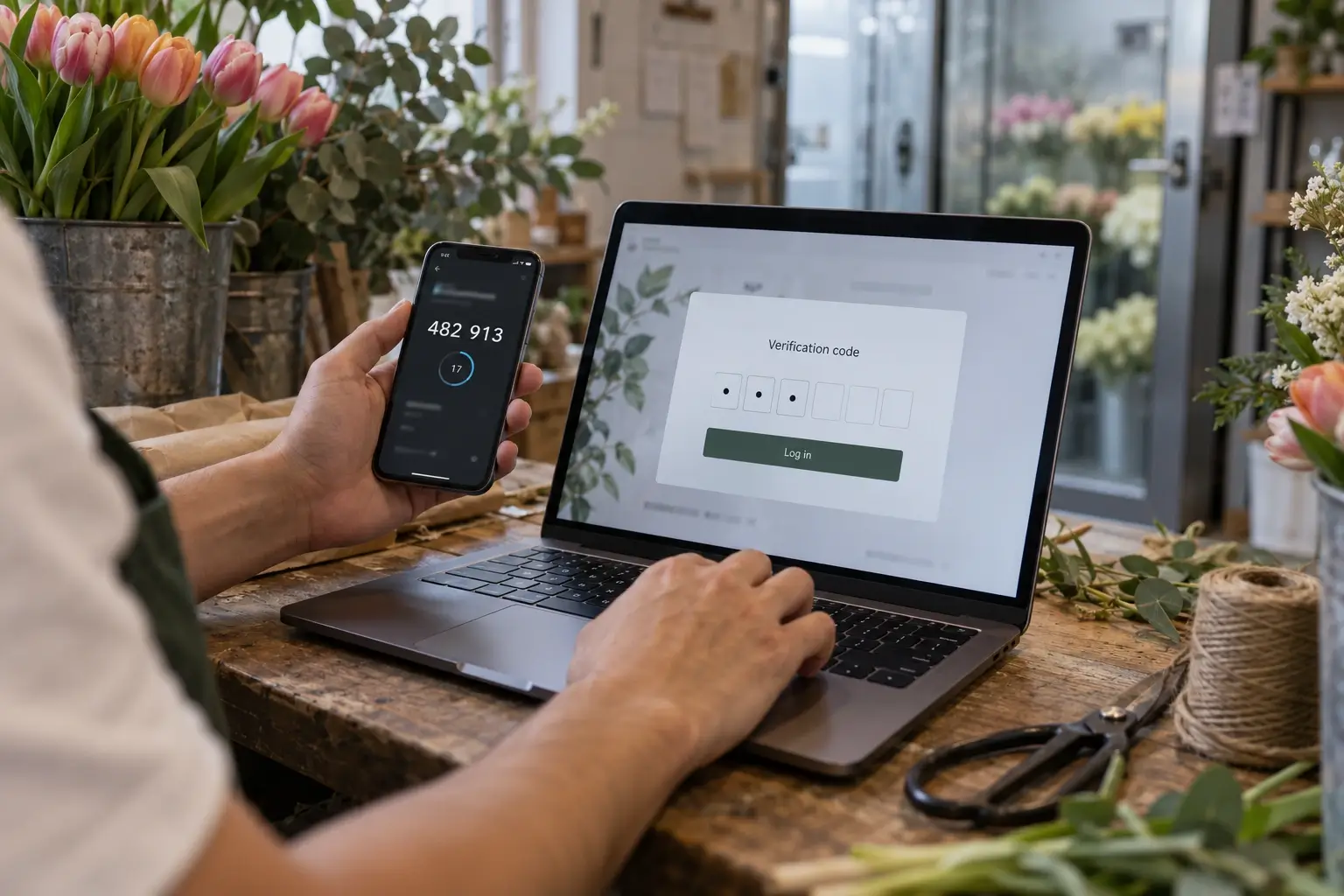
Kadence Security, previously called Solid Security and originally iThemes Security, is a strong fit for businesses that need clear hardening controls without a highly technical workflow. It focuses on reducing common attack paths through two-factor authentication, brute-force protection, password requirements, and file change detection, all included in the free version. User activity logging is part of the Pro version.
This is a sensible choice when several people log into WordPress, such as an owner, marketing coordinator, customer support team, and developer. You can make access rules more consistent without manually policing every account. For example, administrators can be required to use two-factor authentication while shop managers retain only the permissions they need to process orders.
Its firewall capabilities are not the primary reason to choose it. Pair it with hosting-level protection or a separate firewall service if your site is regularly targeted by automated attacks.
3. Sucuri Security
Sucuri is best considered when protection needs to begin before traffic reaches your WordPress server. Its cloud-based website firewall can filter malicious requests, reduce certain bot attacks, and help protect server resources. That external layer can be valuable for stores and lead-generation sites where uptime directly affects revenue.
The practical advantage is that hostile traffic can be stopped at the edge instead of consuming PHP workers and database connections on the origin server. It can also be useful during a traffic spike or a targeted attack, when an on-server plugin alone may be under pressure.
There is a setup trade-off: DNS and caching behavior need to be configured correctly. A poorly planned firewall or CDN change can cause cached checkout pages, login issues, or confusing behavior for logged-in users. WooCommerce rules require particular care so cart, account, and checkout sessions remain dynamic.
Know what you are paying for. The firewall is a paid Sucuri service. The free Sucuri Security plugin does something different: it audits security activity, monitors file integrity, scans for malware remotely, and applies hardening, then connects to the firewall if you buy it.
4. MalCare
MalCare is a good option for business owners who want malware detection and cleanup features without running all scans directly on their own server. Its scanning approach is designed to limit performance impact, which can appeal to sites on modest hosting plans or stores with large media libraries. The free version scans for malware from MalCare’s servers and adds a firewall and login protection; one-click cleanup is part of the paid plans.
The paid cleanup workflow is a major reason people choose it. When a site is genuinely infected, the priority is restoring a safe operation quickly, not spending hours comparing unfamiliar files. That said, cleanup is only the first step. The source of the compromise still needs to be addressed, whether it was a vulnerable plugin, a reused password, compromised hosting credentials, or an outdated administrator account.

MalCare works well as part of a recovery-minded setup. It is less compelling if you need granular firewall reporting or detailed security hardening rules from the same interface.
5. WP Cerber Security
WP Cerber is suited to site owners or technical teams that want detailed control over login behavior, user access, spam protection, and request filtering. It has a more hands-on feel than some alternatives, which can be an advantage when a site has unusual workflows, custom endpoints, or recurring automated abuse.
For example, an organization receiving persistent fake account registrations or repeated attacks against a custom login route may benefit from its configurable rules. The downside is configuration risk. Overly aggressive settings can block legitimate customers, API calls, payment callbacks, or staff working from changing IP addresses.
One practical difference matters for a small business: WP Cerber is no longer in the WordPress.org plugin directory. WordPress.org closed its listing on September 22, 2022, citing a security issue, so the plugin is now downloaded from the developer’s website rather than installed from your WordPress dashboard. Check how it delivers updates before you rely on it.
Use it when someone is available to test the rules carefully and review logs after changes. It is powerful, but it is not the lowest-maintenance choice for every small business.
6. All-In-One Security (AIOS)
All-In-One Security (AIOS), previously All In One WP Security & Firewall and now maintained by the team behind UpdraftPlus, is a budget-friendly option for smaller sites that need foundational protections such as login lockouts, basic firewall rules, database safeguards, and account security checks. Its interface makes common improvements easier to understand, which is useful for owners maintaining a simple company website.
The free feature set is attractive and even includes two-factor authentication, while malware scanning and country blocking need the premium version. Free does not mean maintenance-free, though. Review the settings after WordPress, theme, or plugin changes, especially if you enable rules that modify server configuration files. For a business-critical store, it is usually better as one part of a managed security process than as the only line of defense.
7. Jetpack Protect
Jetpack Protect comes from Automattic, the company behind WordPress.com, and suits owners who want a simple warning system rather than a security console. Every day it checks your WordPress version, plugins, and themes against WPScan’s vulnerability database and lists the ones with known vulnerabilities. It also blocks brute-force login attempts.
Its appeal is low effort. A company website with nobody assigned to security still gets a daily check and a clear list of what needs updating. The limit is depth: malware scanning with one-click fixes, a firewall with automatic rule updates, and instant email alerts all require the paid upgrade.
That makes it a sensible first layer for a simple brochure site, and a weak choice as the only protection for a store that takes payments.
8. Patchstack
Many WordPress break-ins start with a known vulnerability in a plugin or theme that the site has not updated yet. Patchstack focuses on that gap. Its free plan alerts you when a plugin or theme you run has a known vulnerability, and it can automatically update only the plugins that are affected.
The paid plans add virtual patching: targeted rules that block attempts to exploit a specific vulnerability until you can install the real fix. That helps when updates have to be tested first, for example on a WooCommerce store where an untested update could break checkout. A virtual patch buys time. It does not replace regular updates after launch.
The free plan has no firewall, so Patchstack complements a primary security plugin rather than replacing one. Patchstack says it has not run into conflicts with other security plugins, but it still recommends running as few as possible and avoiding overlapping features.
9. WP Activity Log
WP Activity Log does not block attacks. It records what happens inside WordPress: logins and failed logins, content changes, new users and role changes, plugin and theme installs, and site-wide settings. Each entry shows when it happened, which user did it, their role, and the IP address it came from.
That record matters as soon as several people manage the site. If a price changes, a shipping setting is altered, or an administrator account appears that nobody remembers creating, the log answers the first questions of any investigation: what changed, when, and which account did it. The free version also logs WooCommerce changes to store settings, orders, products, and coupons.
The premium version adds email, SMS, and Slack alerts, reports, search filters, and a live view of who is logged in, with the option to log them out. For a store where staff, freelancers, or an agency all log in, it adds accountability that a firewall cannot.
How to choose among the best WordPress security plugins
Start with the business impact of downtime. A five-page website that generates a few inquiries each month has different needs from a store processing customer accounts, inventory updates, payment notifications, and shipping integrations every day.
For a typical small-business website, Wordfence or Kadence Security provides a dependable baseline. Choose Wordfence when firewall visibility and malware scanning are priorities. Choose Kadence Security when login controls, user policies, and straightforward hardening matter more.
For WooCommerce, the decision often becomes a layered one. Use a carefully configured WordPress security plugin for application-level controls, then add a properly managed edge firewall when traffic volume, bot activity, or uptime requirements justify it. MalCare is attractive when fast malware cleanup and low server overhead are priorities. Sucuri is particularly useful when filtering traffic before it reaches the hosting server is part of the plan.
Patchstack and WP Activity Log sit next to your main security plugin rather than replacing it. Patchstack warns you about vulnerable plugins and, on paid plans, patches them virtually. WP Activity Log records who changed what. Jetpack Protect suits a simple site where low effort matters more than detailed control.
Avoid installing several plugins that duplicate firewall, login-limit, or file-scanning functions. More tools do not automatically create more security. They can conflict, generate contradictory alerts, and make troubleshooting harder. Select one primary security plugin, document its settings, and test its effect on checkout, contact forms, password resets, and integrations.
Configuration mistakes that create avoidable risk
The most common failure is installing a plugin and leaving the defaults untouched. At minimum, protect every administrator account with unique passwords and two-factor authentication, remove unused plugins and themes, and ensure alerts go to a monitored business email address rather than an inbox nobody checks.
Do not block countries, IP ranges, or XML-RPC access without understanding your real traffic and integrations. A broad rule may stop attacks, but it can also prevent a legitimate supplier, mobile employee, app connection, or remote publishing tool from working. Test changes in a staging environment when possible, then check critical customer journeys after deployment.

Backups deserve equal attention. A security plugin can alert you to a problem, but a tested off-site backup is what gives you a realistic recovery path. Confirm that backups include the database, uploads, and configuration files, and periodically restore one to a safe test environment. A backup that has never been restored is an assumption, not a plan.
If you are planning a new site, build security in from the start. Security hardening is part of The King Web’s professional WordPress website for small business, and a WooCommerce store build includes a complete security setup and a security audit.
Security works best when it is treated as routine operations rather than emergency software. Pick the plugin that matches your site’s risk, configure it around real business workflows, and make updates, monitoring, and recovery part of the monthly maintenance calendar.